
A repeatable routine
The simplest system has four steps.
Capture the date when food arrives
Record the printed date while the package is already in your hand. Waiting until later creates a second job and makes forgotten items more likely.
Confirm what the package actually says
Date formats and label types vary. Keep the original package available and confirm the date yourself before saving it in any tracker.
Put the shortest time remaining first
A list is useful only when it helps you decide. Sort food by time remaining so the items that need attention appear before the rest.
Close the loop after eating or discarding
Mark an item when it leaves the fridge. A current list is easier to trust, and the history shows where food is being forgotten.
Where fridgiary helps
A photo-first expiry tracker, private by default.
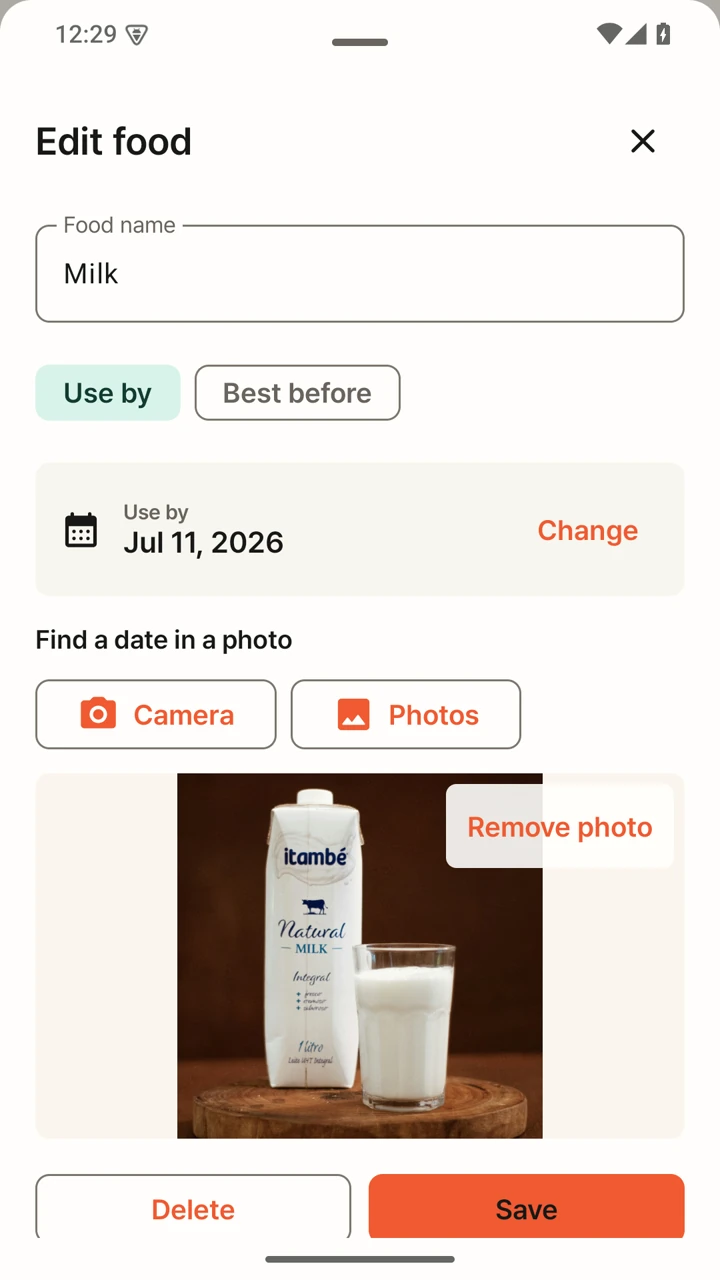
fridgiary finds date candidates from a food-package photo on your Android device. You review the result, confirm the date, and keep the items with less time remaining at the top.
- Photograph a package instead of retyping every character
- Confirm or correct every date before it is saved
- Get local reminders three days before, one day before, and on the date
- Use the app without an account, advertising, or cloud photo uploads
An important boundary
A tracker remembers dates. It cannot decide whether food is safe.
fridgiary does not assess freshness, storage conditions, or food safety. Always check the package instructions and follow official guidance for your location. If a scan looks wrong, correct it before saving.
Common questions
Before you start tracking
Can fridgiary scan every package?
No scanner is perfect. Image quality, glare, print style, and package layout can affect the date candidates found. fridgiary always asks you to confirm the result before saving.
Are food photos uploaded to a server?
No. Date scanning and storage happen on your device. fridgiary does not require an account and does not upload your pantry photos to a fridgiary server.
Does the app replace the printed label?
No. The package label remains the source you should verify. The app helps you remember the date you confirmed and surfaces the items that need attention first.
Android
Keep the dates that matter where you can see them.
fridgiary is currently in Google Play closed testing.